

Managing Secrets in a Public GitHub Repo: A Practical Guide to Sealed Secrets
When you decide to run a fully public GitOps repository, the first question people ask is always the same: where are the passwords?
It's a fair question. In a traditional setup you might keep secrets in a .env file that never touches version control, or rely on someone manually kubectl apply-ing credentials before a deployment can even work. But once you commit to a real GitOps model, where the repo is the single source of truth for everything, secrets can't be a special exception anymore. They have to live in Git too.
In my YogaNovvaindra/kube repo, which is completely public and runs 60+ applications across 15+ namespaces, every secret is in Git. The trick is that none of them are actually readable there. I use Sealed Secrets to encrypt credentials against the cluster's own key before committing anything, and the in-cluster controller handles decryption at runtime. GitHub never sees plaintext.
The Core Idea
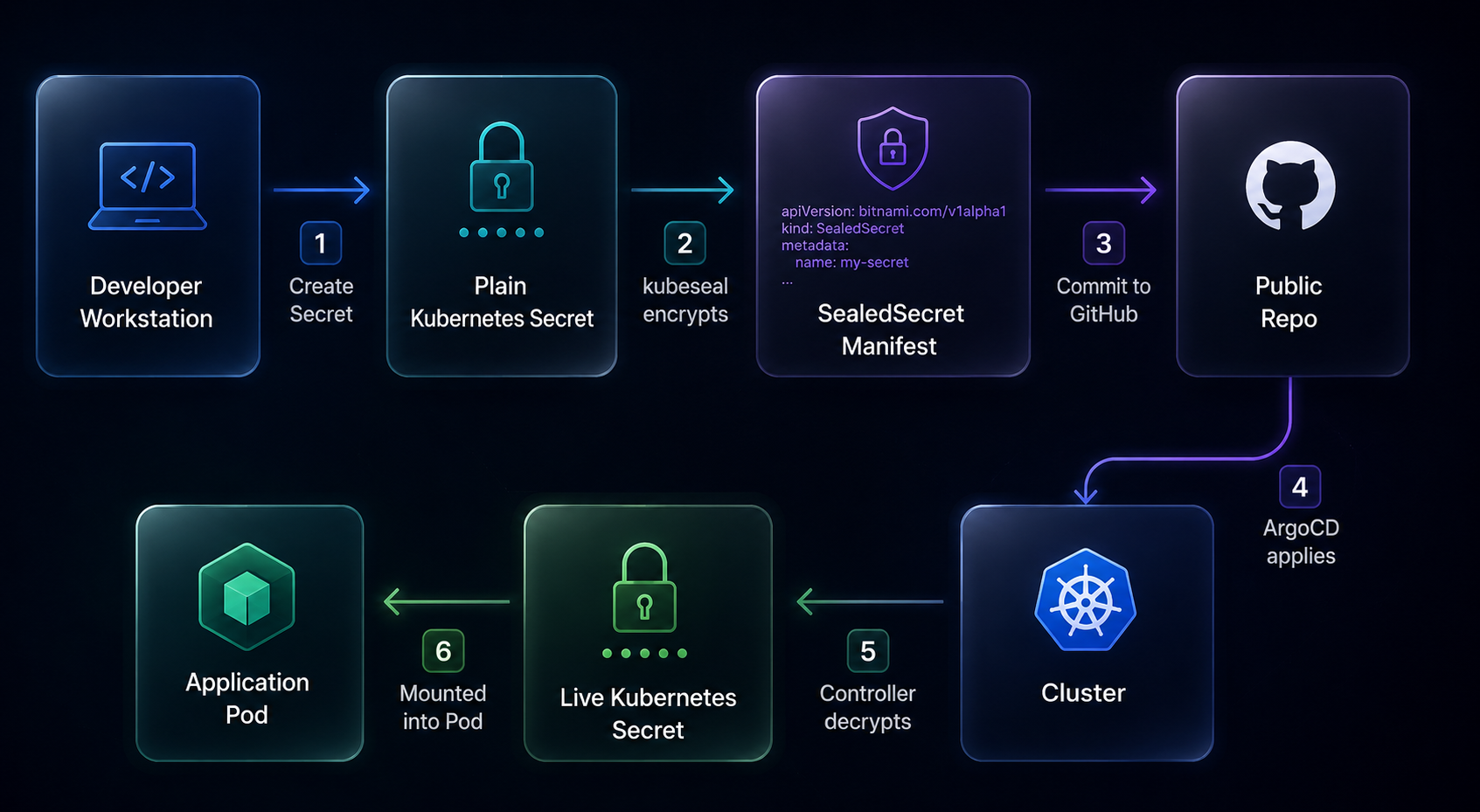
The mental model is pretty straightforward:
- Create a normal Kubernetes
Secretlocally on your workstation. - Encrypt it with the cluster's public key using
kubeseal. - Commit only the encrypted
SealedSecretmanifest to GitHub. - ArgoCD applies it, and the in-cluster controller decrypts it back into a live
Secret.
The cluster can reconstruct the original secret. GitHub cannot. That's the whole point.
Step 1: Install the Controller as Platform Infrastructure
The Sealed Secrets controller is what makes decryption possible inside the cluster. It generates and holds the private key that matches the public certificate you use for sealing on your workstation.
I treat it as core platform infrastructure, the same category as ArgoCD, MetalLB, or cert-manager. In the cluster/ directory it lives alongside other foundational components, not tucked away inside some application namespace.
One thing worth highlighting: the cluster setup also includes a daily CronJob that backs up active controller keys. Most people skip this and regret it later. If you ever lose the controller's private key and need to restore the cluster, none of your sealed secrets will decrypt. Back up the keys.
Once the controller is up and running, it manages the key lifecycle automatically from there.
Step 2: Start with a Plain Secret Locally
Write a regular Kubernetes Secret manifest on your workstation. This file stays local and never gets committed anywhere.
apiVersion: v1
kind: Secret
metadata:
  name: app-secret
  namespace: media
type: Opaque
stringData:
  api-key: super-secret-value
  username: app-user
I use stringData here because it skips the manual base64 encoding and is just easier to read when you're writing it out.
Step 3: Seal It for the Target Cluster
With the controller running in the cluster, you can seal the manifest with a single command:
kubeseal --format yaml < secret.yml > sealed-secret.ymlThe output is encrypted specifically for your cluster's key. You can commit it anywhere, including a fully public repo, and it's safe.
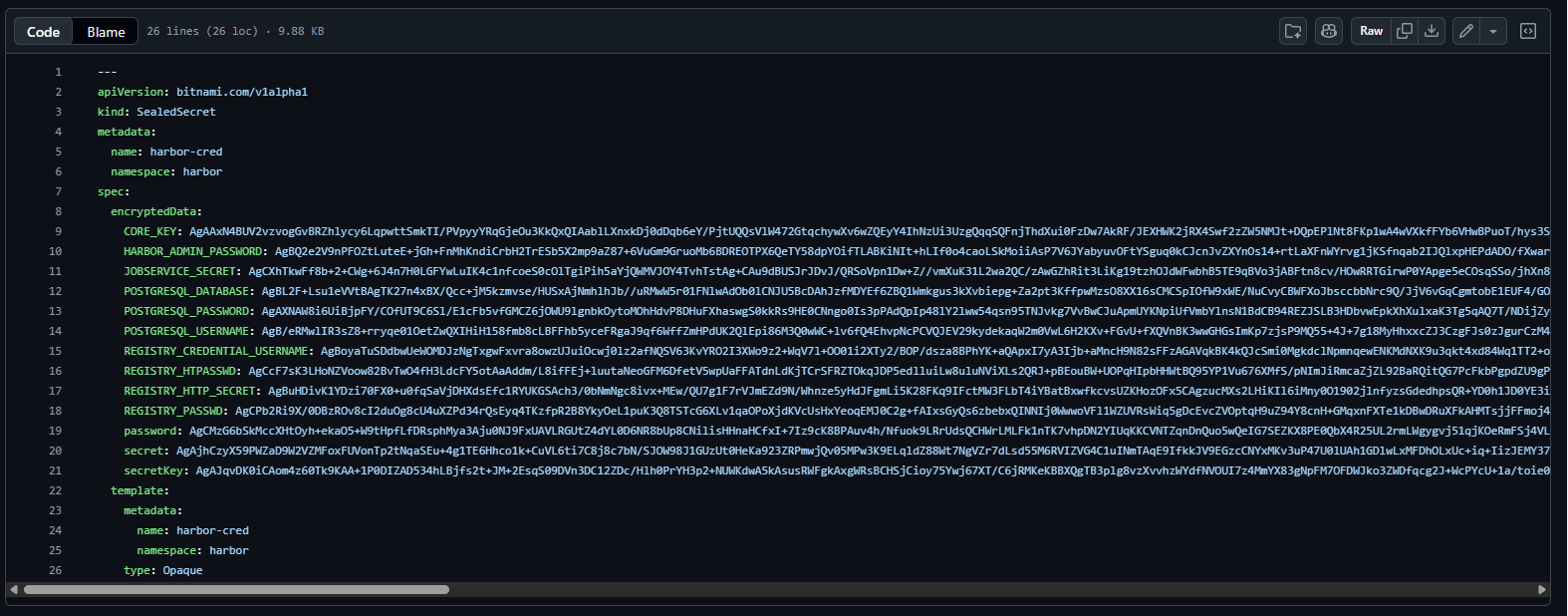
This same pattern is used across the whole kube repo. A few real examples of secrets managed this way:
cloudflare-secret.ymlfor cert-manager DNS-01 credentialscloudflared-cred.ymlfor Cloudflare Tunnel authdiscord-webhook-sealed-secret.ymlfor ArgoCD notificationsmariadb-cred.ymlfor database credentialsmoney-cred.ymlfor application-specific credentialslinear-cred.ymlfor service integration tokens
Each one lives in Git, versioned alongside the workload that uses it, and visible in pull request diffs.
One rule to follow: never commit the original plaintext Secret when you have a sealed version available. Seal it, commit the output, then delete or .gitignore the source file.Step 4: Commit the Encrypted Manifest Like Any Other Resource
In the repository, a SealedSecret is treated exactly like a Deployment or a ConfigMap. Nothing special, nothing that needs to be hidden from reviewers.
apiVersion: bitnami.com/v1alpha1
kind: SealedSecret
metadata:
  name: app-secret
  namespace: media
spec:
  encryptedData:
    api-key: AgB...
    username: AgC...
  template:
    metadata:
      name: app-secret
      namespace: media
    type: Opaque
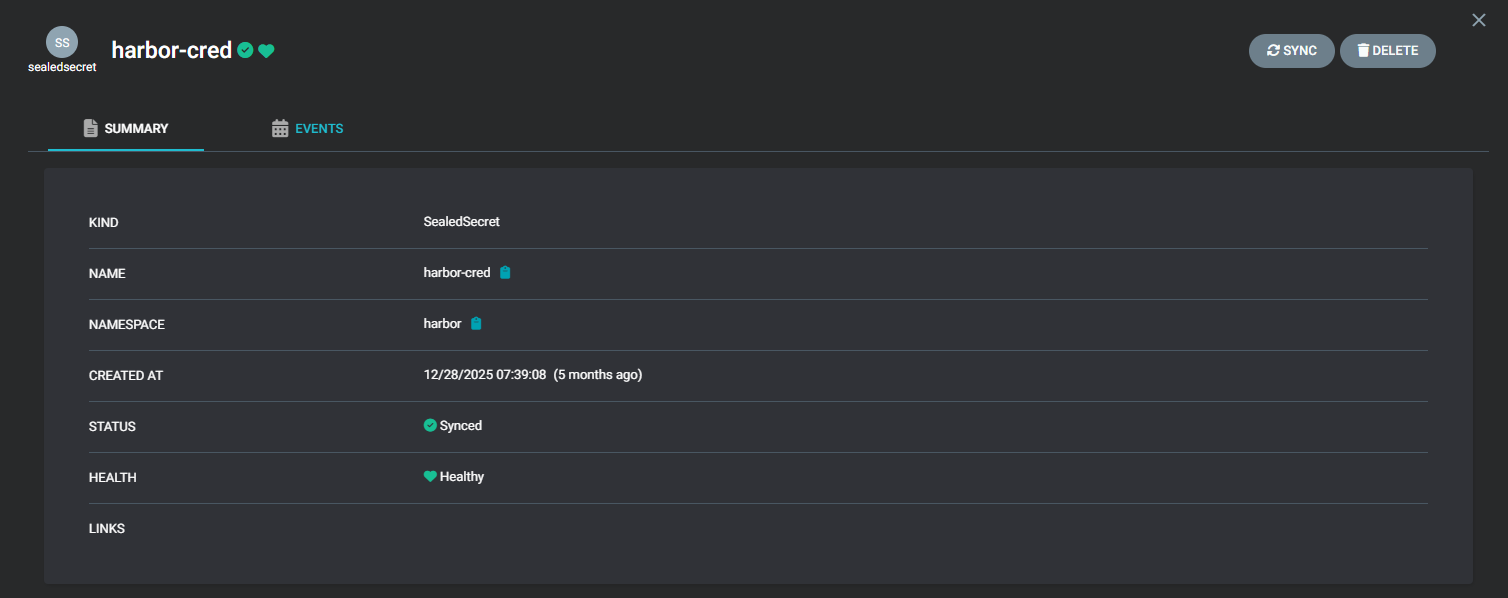
When ArgoCD syncs this, the controller picks it up, decrypts the payload using the cluster's private key, and creates a normal Secret object. The application workload never needs to know any of this happened.
Step 5: Consume the Live Secret from Workloads
From the application's perspective, it just reads a normal Kubernetes Secret. Sealed Secrets is invisible at this layer.
apiVersion: apps/v1
kind: Deployment
metadata:
  name: example-app
  namespace: media
spec:
  template:
    spec:
      containers:
        - name: app
          image: example/app:1.0.0
          envFrom:
            - secretRef:
                name: app-secret
The application owns consumption. The platform layer owns encryption and key management. They don't mix, and that separation makes the whole thing easy to reason about.
Patterns That Make It Work Long-Term
Setting up Sealed Secrets once is easy. Keeping it clean across months of cluster changes is where most people run into friction. A few habits that help:
Delete the plaintext file after sealing. Once you have sealed-secret.yml, the original secret.yml has done its job. Delete it or add it to .gitignore. The sealed output is your source of truth from that point on.
Keep secrets next to the app that uses them. When a SealedSecret and its Deployment live in the same directory, the relationship is obvious and changes stay reviewable in context. A centralized secrets folder sounds organized but quickly becomes hard to trace.
Re-seal when you move namespaces. Sealed Secrets binds an encrypted manifest to a specific namespace. Move the manifest to a different namespace without re-sealing it and the controller will reject it. It's the right behavior, but it will catch you off guard the first time.
Rotate credentials through GitOps, not kubectl. When something needs to change, create a new local secret, seal it, open a PR, let ArgoCD sync it. No kubectl edit, no manual patching, no state that lives outside the repo.
Common Gotchas
Most failures here are operational rather than anything cryptographic. If the controller is rejecting a secret, check these in order:
- Namespace mismatch. The namespace in the
SealedSecretmetadata must match where it actually gets applied. - Wrong cluster certificate. You might have sealed against a different cluster's public key.
- Controller not running. Worth checking before anything else.
- Scope issue. If you sealed with a strict namespace scope and then moved the manifest, it will fail.
The controller logs are usually pretty clear about what went wrong.
Why This Works for a Public Repo
Other approaches have real tradeoffs. Environment variables in CI/CD pipelines take secrets out of the repo's review process entirely. External secret managers like Vault or AWS Secrets Manager introduce infrastructure dependencies that are overkill for a homelab. Manual kubectl apply for secrets creates state that exists nowhere in Git and is easy to lose track of.
Sealed Secrets hits a practical middle ground: credentials live in Git, they're encrypted, they're reviewable like any other change, and the workflow is simple enough that you actually follow it every time instead of working around it.
For a public repo like YogaNovvaindra/kube, where the goal is for the repository to genuinely reflect the full cluster state, this is what makes that possible without exposing anything sensitive.


